Creating Animations and Video Editing for Teaching

online via zoom Online via Zoom

Students who complete the 2-hour workshop can be counted towards the Experiential Learning and Achievements Transcript (ELAT), under “Careers and Professional Development.

Using Panopto to Create Video Presentations (for students)

online via zoom Online via Zoom
Virtual Event Virtual Event

Videos can be a useful medium for communications. This workshop aims at introducing how we can use Panopto, the centrally supported video portal of EdUHK, for recording video presentations and share our videos with the intended audience. Topics to be covered include:

brief introduction to Panopto
preparation for recording
recording video of picture-in-picture style on computers
recording video on mobile devices
video processing
video sharing
submitting Panopto videos to Moodle

Using Panopto to Create Video Presentations (for students)

online via zoom Online via Zoom
Virtual Event Virtual Event

Videos can be a useful medium for communications. This workshop aims at introducing how we can use Panopto, the centrally supported video portal of EdUHK, for recording video presentations and share our videos with the intended audience. Topics to be covered include:

brief introduction to Panopto
preparation for recording
recording video of picture-in-picture style on computers
recording video on mobile devices
video processing
video sharing
submitting Panopto videos to Moodle

Using Panopto for Editing Video and Quiz (For Staff)

online via zoom Online via Zoom
Virtual Event Virtual Event

Panopto allows users to edit their videos. This workshop aims at demonstrating how we can do so on Panopto via making changes, adding extra streams to our videos, or creating quizzes embedded in videos.

Topics to be covered include:

understanding the video editing environment of Panopto
preparing the different sources of video streams or slides
adding and editing streams
modifying the publish settings (for controlling captions, downloads, etc.)
how viewers can access the video and the learning materials

Using Panopto for Discussion and Distributing Panopto Video via Moodle (For Staff)

online via zoom Online via Zoom
Virtual Event Virtual Event

After creating and editing our Panopto videos, incorporating them into our classes would be the next step. This workshop aims at sharing how communities can be set up for peer discussions of videos and how Panopto videos can be incorporated into Moodle, Topics to be covered include:

forming a community for peer discussions of Panopto videos made by students
adding video to Moodle
setting up for video assignment submission on Moodle

Creating Standard Talking Head/Screencast Presentation (English/Cantonese)

online via zoom Online via Zoom
Virtual Event Virtual Event

Creating effective video learning resource is not an easy task without state-of-art and easy-to-use video production system and venue. The Video Production Room of LTTC is built for colleagues to produce quality video learning resources in a technology-enhanced and user-friendly production environment. The Video Production Room (E-P-16) is equipped with automatic HD video camcorder, tie-clip microphone, professional lighting system and chroma key effect background. Colleagues with little knowledge of video production can manage to produce quality talking head and screencast videos which will be useful resources for daily teaching, implementing flipped classroom strategy and assisting in mini-MOOC development. To let colleagues know more about the production and the room, a workshop on “Create your Talking Head/Screencast Presentation” will demonstrate how to create video resource in the Video Production Room and highlight some tips for making effective talking head and screencast video for learning and teaching.

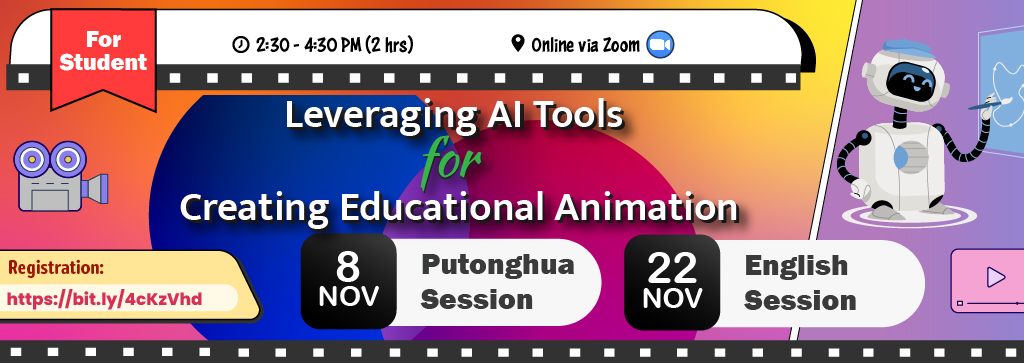
Leveraging AI Tools for Creating Educational Animation

online via zoom Online via Zoom

Students who complete the 2-hour workshop can be counted towards the Experiential Learning and Achievements Transcript (ELAT), under “Careers and Professional Development.